 Little Snitch 4 Help
 Little Snitch 5 Help
 Little Snitch 6 Help
Automatic Profile Switching settings
The APS pane controls Automatic Profile Switching (APS): whether Little Snitch activates profiles on its own, and how it handles networks that it doesn’t know yet.
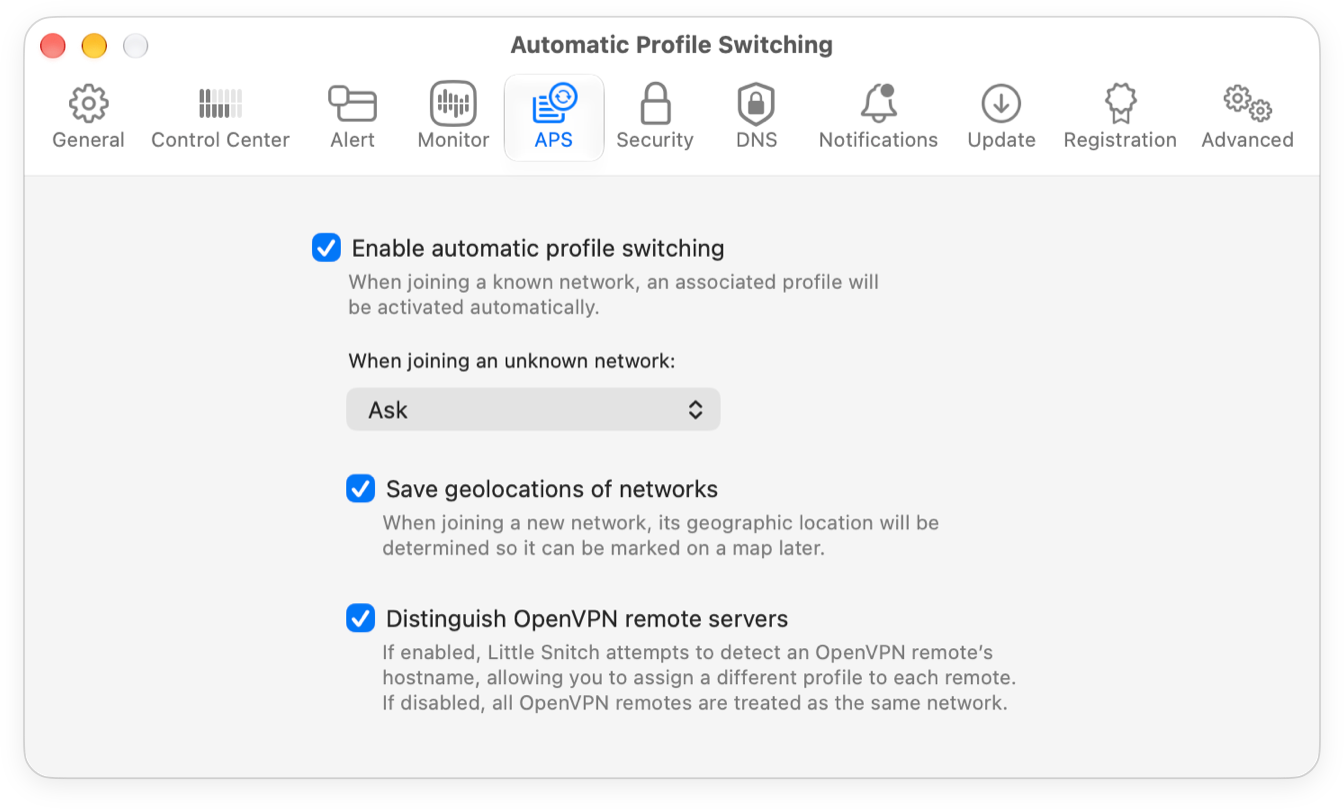
- Enable automatic profile switching: Turns APS on or off.
- When joining an unknown network: When you join a network that Little Snitch doesn’t know, it normally asks you what to do in a New Network Alert. If you travel a lot, these alerts can get annoying. Choose a default action here, and Little Snitch takes it without asking. You can still assign a different profile to a network later.
- Save geolocations of networks: Little Snitch saves where you joined each network, using Apple Location Services. This helps more than you might think: the list of known networks contains all technical details of each network, but network names are often cryptic, and after a few months it’s hard to remember which network is which. With its location on a map, you can tell right away.
- Distinguish OpenVPN remote servers: If this option is on, Little Snitch tries to find the hostname of the OpenVPN server, so you can assign a different profile to each OpenVPN server. If it’s off, Little Snitch treats all OpenVPN servers as the same network.
© 2016-2026 by Objective Development Software GmbH