 Little Snitch 4 Help
 Little Snitch 5 Help
 Little Snitch 6 Help
Advanced settings
The Advanced pane collects settings that most people never need to change: how Little Snitch marks new rules for review, the unit for traffic rates, what counts as your local network, and the Berkeley Packet Filter.
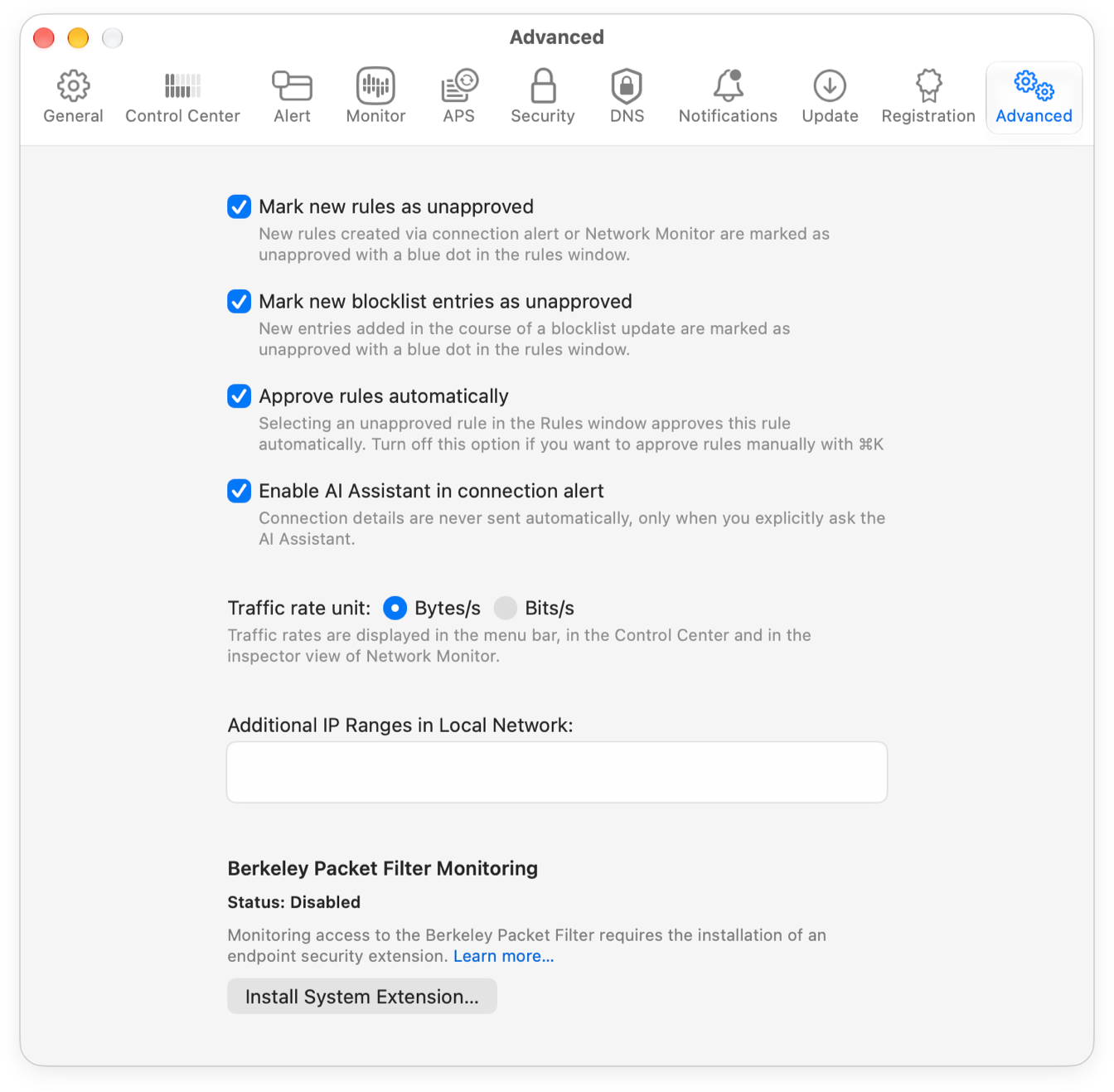
- Mark new rules as unapproved: New rules from the connection alert, from Network Monitor, and from updates of remote rule groups start out as unapproved. The Rules window shows them with a blue dot, so you can spot new rules and check them.
- Mark new blocklist entries as unapproved: The same for the new entries of a blocklist update: Little Snitch marks them as unapproved and shows them with a blue dot.
- Approve rules automatically: With this option on, Little Snitch approves an unapproved rule as soon as you select it in the Rules window. With it off, you approve rules yourself, for example: turn on the filter Unapproved and click Approve in the top bar. Editing a rule also approves it.
- Traffic rate unit: Whether traffic rates in the menu bar, in the Control Center, and in the Inspector of Network Monitor are in Bytes/s or Bits/s.
- Additional IP Ranges in Local Network: Little Snitch uses the IP address of a server to decide whether a connection goes to your local network or to the internet. It treats the private networks 10.0.0.0/8, 172.16.0.0/12, and 192.168.0.0/16 as local, along with broadcast, local multicast, Bonjour, and a few other addresses. Some networks, though, use public addresses for private purposes, especially with IPv6. If yours does, add its addresses here, separated by commas. You can write a range in CIDR notation.
- Berkeley Packet Filter Monitoring: If you want Little Snitch to control access to the Berkeley Packet Filter, click Install System Extension…. This is a separate installation, because it needs more privileges. Status shows whether the system extension is installed.
© 2016-2026 by Objective Development Software GmbH