 Little Snitch 4 Help
 Little Snitch 5 Help
 Little Snitch 6 Help
Inspector
The Inspector of the Rules window shows everything about the selected rule or blocklist. To show or hide it, click the Show / Hide Inspector button in the top right corner of the Rules window, or choose View > Show Inspector.
Rule inspector
When you select a rule, the Inspector shows the following:
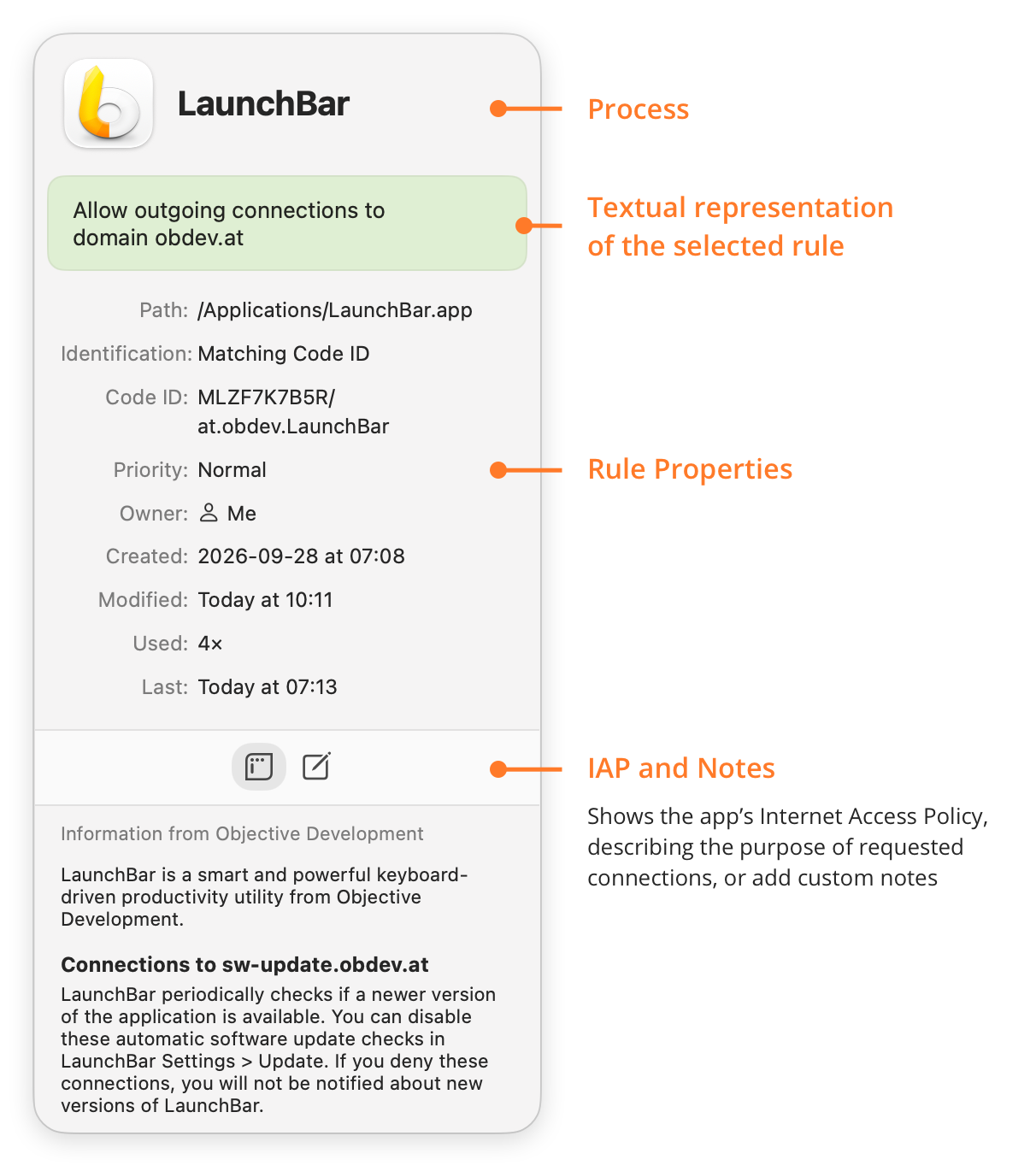
- Process: The icon and the name of the process.
- Textual representation of the selected rule: A short description of what the rule does, and to which remote endpoint.
- Rule Properties: The properties of the rule. Some appear only when they apply:
- Sound: For a sound rule, the sound that Little Snitch plays when the rule matches.
- Path: Where the process is in the file system.
- Identification: How Little Snitch identifies the process: by Code ID, by path with an identity check, or by path without an identity check.
- Check: If Little Snitch identifies the process by path and checks its identity, how it does the check.
- Code ID: The Code ID of the process, as rules use it.
- Redundancy: Whether another rule covers this rule, or this rule covers another one. Links take you directly to the most common actions.
- Lifetime: For a temporary rule, the time until which it’s active.
- Priority: Whether the rule has normal or high priority.
- Owner: Whether the rule matches processes of the current user, of the system, or of anyone.
- Created: When the rule was created.
- Modified: When the rule was last changed.
- Used: How many connections the rule has matched.
- Last: When the rule last matched a connection.
- IAP and Notes: Two buttons for text about the rule:
- The left button shows the Internet Access Policy (IAP) of the app, if it has one, so you can read what its connections are for.
- The right button shows your own notes for the rule. You can add and edit notes here.
Blocklist inspector
When you select a blocklist in the sidebar, the Inspector shows its properties:
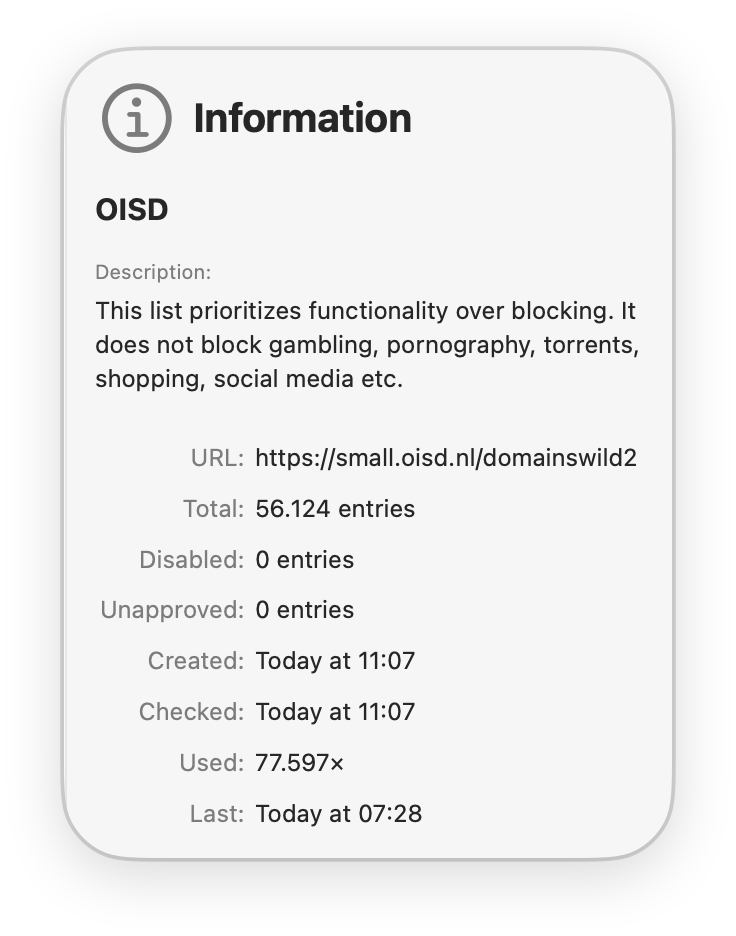
- Description: What the blocklist is about. The text comes from the blocklist, from Little Snitch, or from you.
- URL: Where Little Snitch downloads the blocklist from.
- Total: How many entries the blocklist has.
- Disabled: How many entries you disabled.
- Unapproved: How many entries you haven’t approved yet.
- Created: When you added the blocklist.
- Checked: When Little Snitch last updated the blocklist from its URL. To update it right away, move the pointer over this line, click the ellipsis button , and choose Update Now.
- Used: How many connections the blocklist has blocked.
- Last: When the blocklist last blocked a connection.
© 2016-2026 by Objective Development Software GmbH