 Little Snitch 4 Help
 Little Snitch 5 Help
 Little Snitch 6 Help
Warnings
Little Snitch’s main job is to watch the internet connections of your processes, so you can decide whether to allow or deny them. But sometimes it notices that something is wrong with a process or a connection, and then it tells you.
The connection alert shows such a warning in a section of its own. A Warnings button appears to the left of the buttons AI Assistant, IAP, Details, and Notes. If you switch to a different section or close the warning, click Warnings to bring it back.
Read the text of each warning in the alert. We add new warnings to Little Snitch as new cases come up, so the alert may show a warning that this page doesn’t cover yet.
App Translocation warning
This warning is only a hint: permanent rules for this process may not work.
App Translocation is a security mechanism that Apple introduced with macOS 10.12 (Sierra). If an app isn’t “properly installed”, macOS runs it from a random path, usually in /private/var/folders/. That way, the app can’t load resources that lie next to it, a trick that malware often uses. “Properly installed” means that the app starts from a code-signed disk image, or that you moved it to its location in Finder.
Why does this matter for Little Snitch? If a process has no Code ID, a rule identifies the process by its path. But with App Translocation, the path changes every time the app starts, so a rule for one run of the app may not match the next. To fix this, move the app to a different location in Finder. You can move it back to its original location afterward.
Internationalized domain name warning
This warning is only a hint: the domain in the alert might be a look-alike.
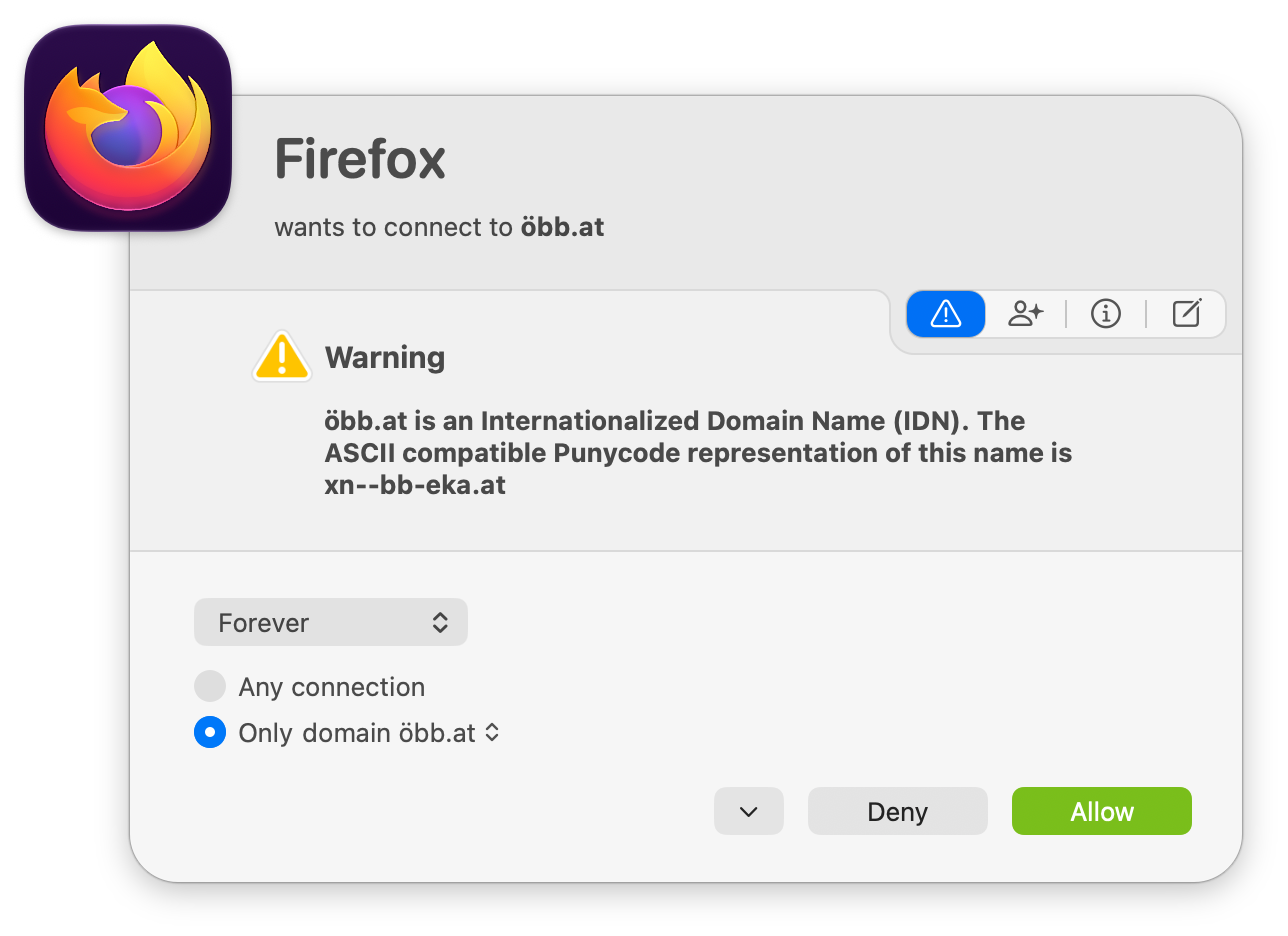
Internationalized domain names can contain any Unicode character, and Unicode has many characters that look almost the same. Attackers use them to create domains that look exactly like popular domains in Latin characters, an “IDN homograph attack”. Take a close look at “applе.com”: did you notice that the “е” is a Cyrillic letter? Whenever Little Snitch sees an internationalized domain name, it adds a hint with the Punycode form of the name, so you can see what it really is.
Suspicious process warning
This warning is only a hint: the process might not be trustworthy.
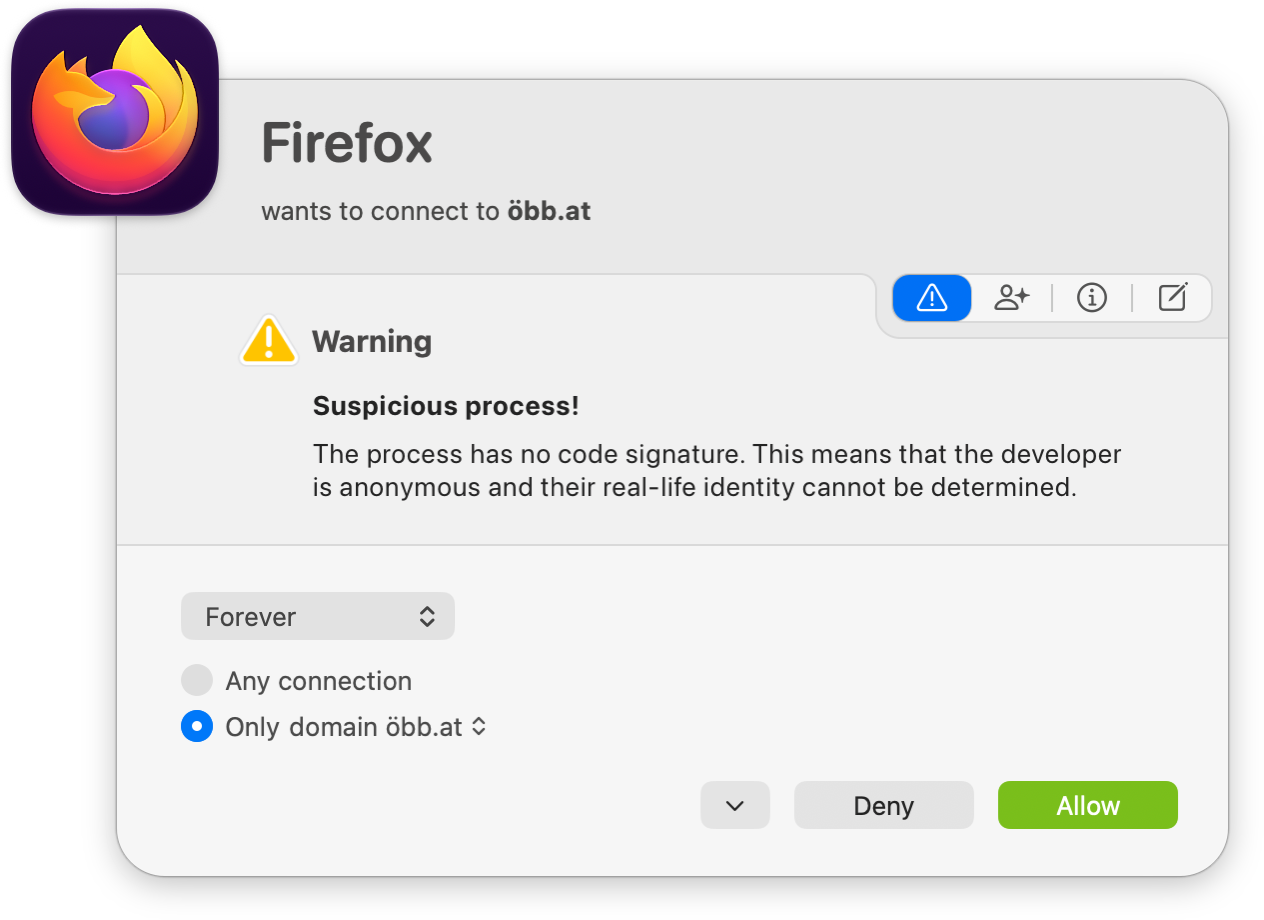
Today, almost all apps have a valid code signature from Apple or from a registered developer. So when a process has no code signature, or a certificate that isn’t from Apple, Little Snitch warns you. This happens in the following cases:
- The executable has no code signature. That isn’t an error in itself. But you can’t know whether somebody changed the executable, or whether it’s a look-alike trojan with malicious code.
- The code signature is broken. The cryptographic verification failed, which means that the executable, or a library that it loaded, changed after it was signed. Take this seriously and find out why. If the cause isn’t malware, the files on your disk may be damaged.
- The code signature is broken because of an unsigned library. The executable loaded a library without a code signature. Usually, that’s a mistake of the developer, who put libraries into folders where Xcode doesn’t sign them automatically. Little Snitch shows you where the library is, so you can check whether it’s a legitimate part of the app or malware. Unsigned code is always a risk, because nobody can detect changes to it. This error has become rare, because Apple requires notarization for software distributed outside the Mac App Store, and notarization catches it.
- The code signature uses a development certificate. Development certificates aren’t meant for released software, so the developer probably shipped a debug build by mistake. (If you’re a developer, you’ll see this warning for your own debug builds.) Little Snitch warns you because development certificates are easier to get, or to steal.
- The certificate chain is formally invalid. For example, it contains certificates that aren’t meant to issue other certificates, or it has other formal errors. A common case is a self-signed certificate. Be very careful here: such a signature is no better than none at all. Somebody may have wanted to make the executable look as if it had a valid code signature.
- The root of the certificate chain isn’t Apple. When Apple issues a certificate, it makes sure that the certificate contains the real name of the developer and a Team Identifier. Certificates from other authorities may lack this information or get it wrong, so Little Snitch can’t tell whether the certificate is trustworthy.
- The process ended before Little Snitch could examine its code signature. You can safely cancel the alert, because the process isn’t running anymore. This shouldn’t happen, but we can’t rule it out completely.
Process modification warning
Unlike the warnings above, this one isn’t just a hint: you need to make a decision.
Before Little Snitch applies an allow-rule, it checks the identity of the process. If the check fails, because the identity changed or Little Snitch can’t confirm it, the alert shows this warning. There are several kinds of identity checks, each with its own possible errors, so the exact message varies. Each one tells you how Little Snitch checked, what it expected, and which requirement the process didn’t meet.
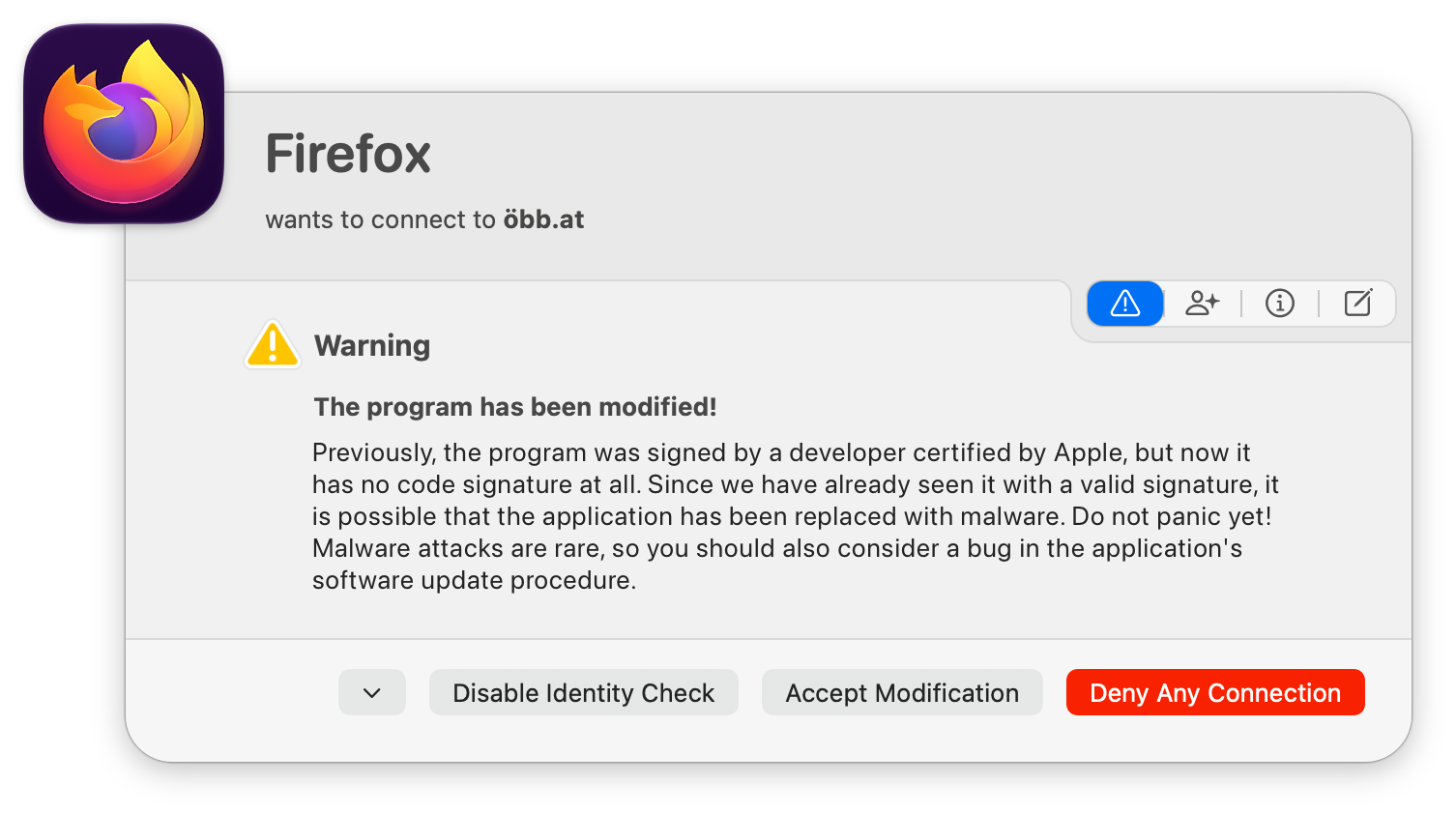
In most cases, you have three options:
- Deny Any Connection: Denies this connection and all future connections of the process, with a rule of extra-high priority. The process then can’t reach the network, which gives you time to find out what happened. If you later decide that the change is fine, open the Rules window of the Little Snitch app, search for the process, and double-click its deny-rule with extra-high priority. Little Snitch then lets you update the identity check and delete the deny-rule.
- Accept Modification: Accepts the change, applies the rule, and updates the identity check to the current version of the app. Choose this if you know the change is legitimate, for example because you just updated the app. This option is available only if Little Snitch can check the identity of the running process.
- Disable Identity Check: Turns off the identity check for this process. That can make sense for an unsigned app that you update often, where updating the identity check for every new version gets tedious, or for a process that always loads an unsigned library, so its code signature is never valid. You then accept a higher risk.
© 2016-2026 by Objective Development Software GmbH