 Little Snitch 4 Help
 Little Snitch 5 Help
 Little Snitch 6 Help
Detaching the Control Center
Normally, the Control Center closes as soon as you click somewhere else. If you want to keep an eye on it while you work, detach it from the menu bar. It then stays open in its own window.
To detach it, drag the handle at its bottom to the left. You can also drag the text that shows the version of Little Snitch:
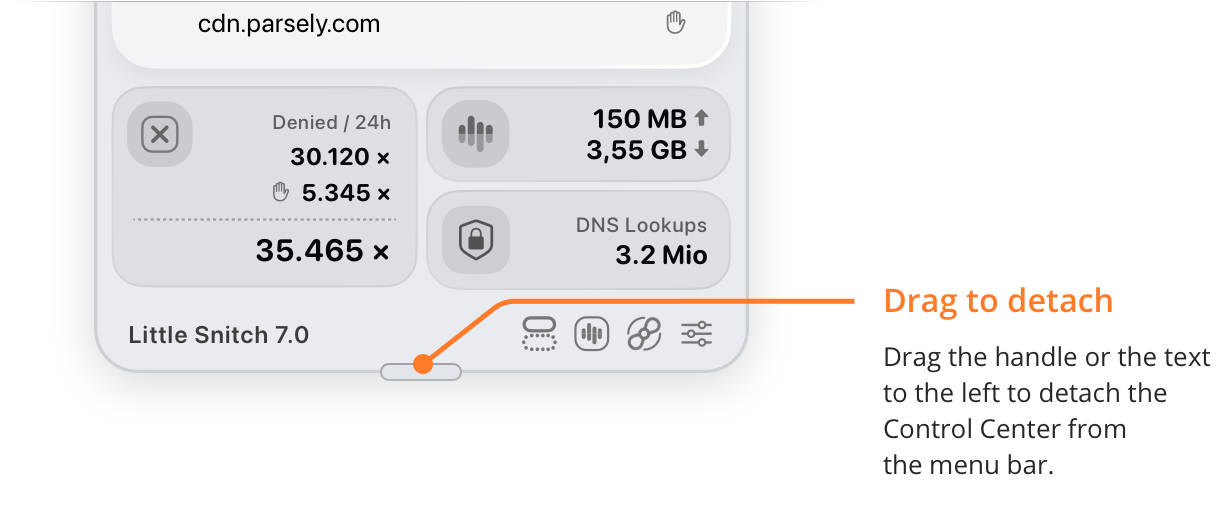
- Drag to detach: The handle and the version text that you drag.
To close the detached Control Center, click the close button at its top left. To attach it to the menu bar again, click the Little Snitch icon in the menu bar.
© 2016-2026 by Objective Development Software GmbH