 Little Snitch 4 Help
 Little Snitch 5 Help
 Little Snitch 6 Help
Manage profiles
This page shows you how to create profiles, fill them with rules, and let Little Snitch switch between them. For what profiles are and how they work, see Profiles.
Create and edit profiles
Before you can choose a profile, for example in the Control Center, you need to create it in the Little Snitch app. To create a profile, choose File > New Profile…. The profile editor opens:
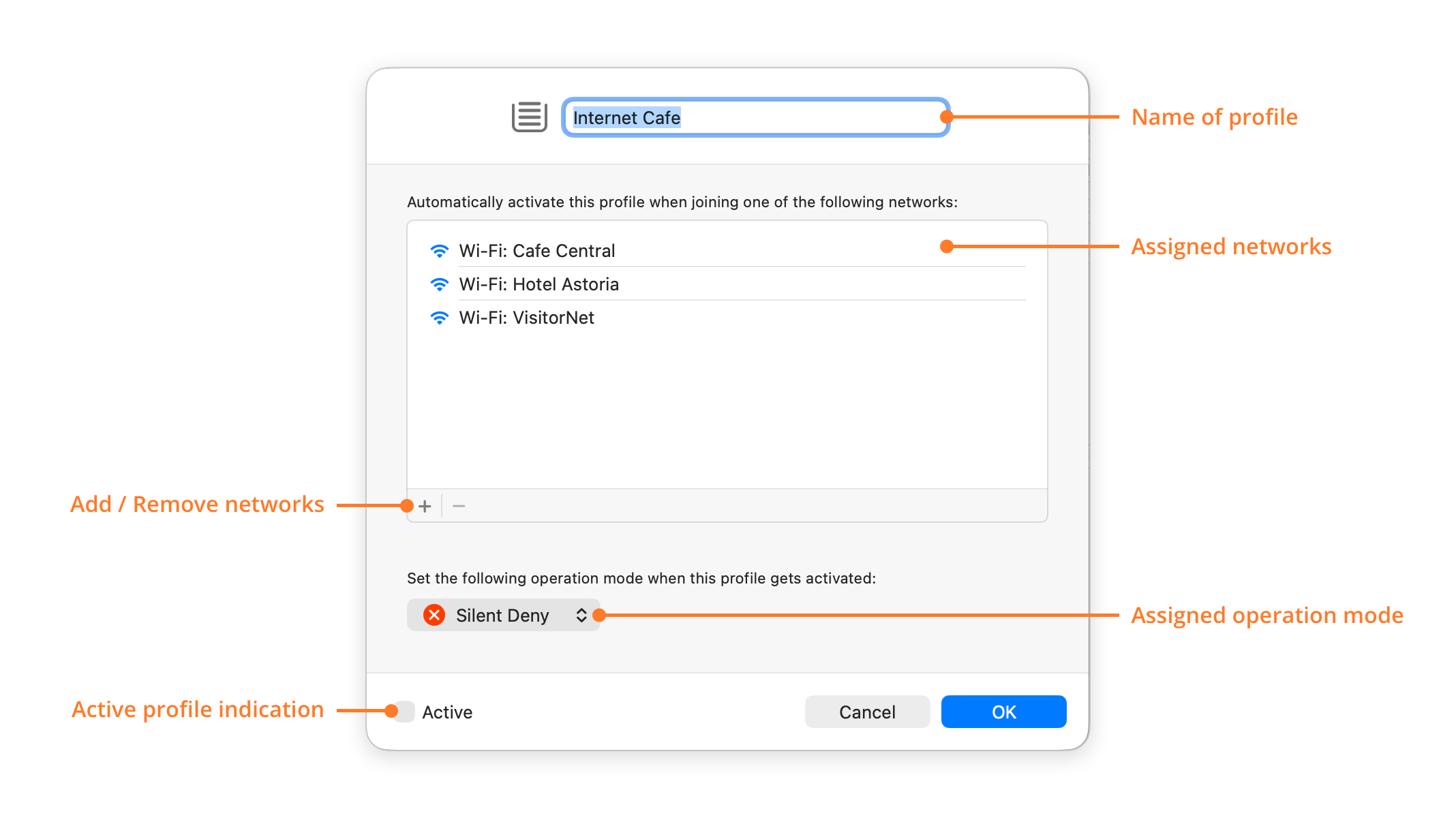
- Name of profile: A name for the profile, for example where or when you use it.
- Assigned networks: The networks that activate this profile automatically. Little Snitch uses this list only while Automatic Profile Switching (APS) is on.
- Add / Remove networks: To add a network, click the add button . To remove one, select it and click the remove button .
- Assigned operation mode: The operation mode that Little Snitch switches to when this profile becomes active.
- Active profile indication: The switch Active shows whether the profile is active. Turn it on to activate the profile, and off to deactivate it. Since only one profile can be active at a time, Little Snitch deactivates any other active profile.
After you create your first profile, the sidebar of the Rules window shows a Profiles section. To edit a profile later, double-click it there.
Profiles are global: all users of your Mac can see and edit them.
Assign rules to profiles
To assign a rule to a profile, drag it onto the profile in the sidebar of the Rules window. This moves the rule: Little Snitch sets its profile property to the new profile. To put a copy of the rule into the profile instead, hold down the Option key while you drag.
While a profile is active, the connection alert has an extra button, which lets you choose where the new rule applies:
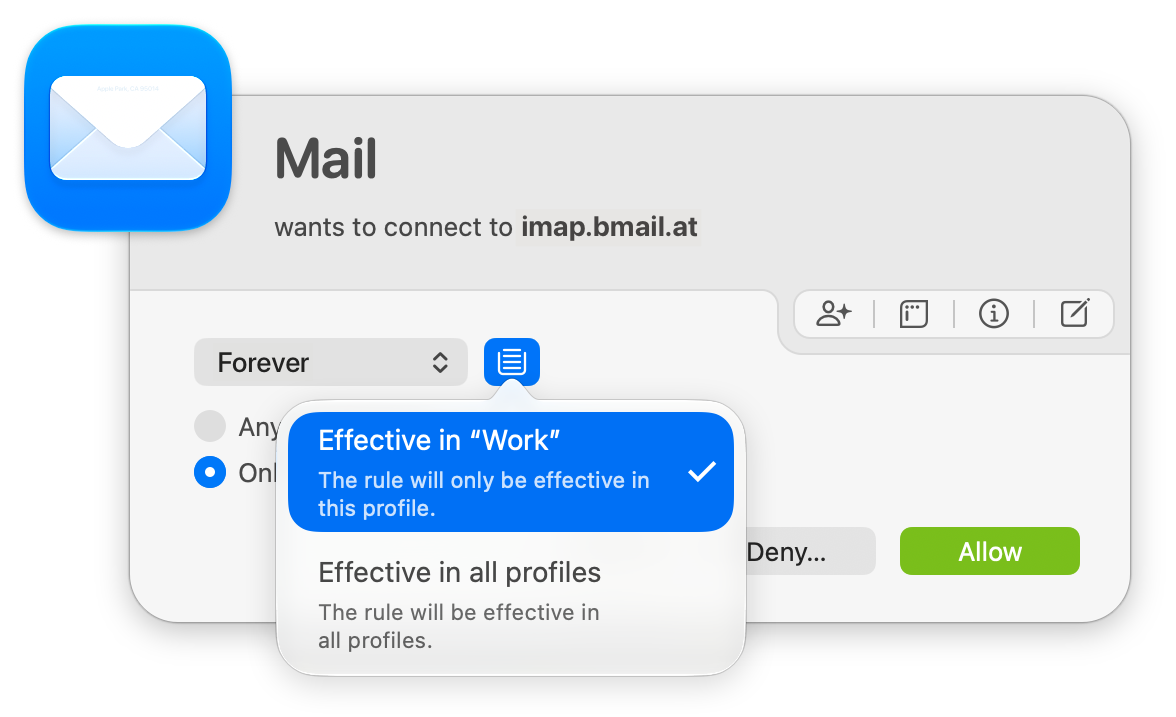
- Effective in “…”: The rule applies only in the active profile. The button is then highlighted.
- Effective in all profiles: The rule applies in all profiles.
Automatic Profile Switching
Without APS, the active profile changes only when you change it. You can do that in three ways:
- With the Profile selector in the Control Center.
- With the switch Active in the profile editor (see above).
- With the command
littlesnitch profileof the command line utility.
With APS, Little Snitch activates profiles automatically, depending on the network that your Mac joins. To use it, turn on Enable automatic profile switching in Settings > APS.
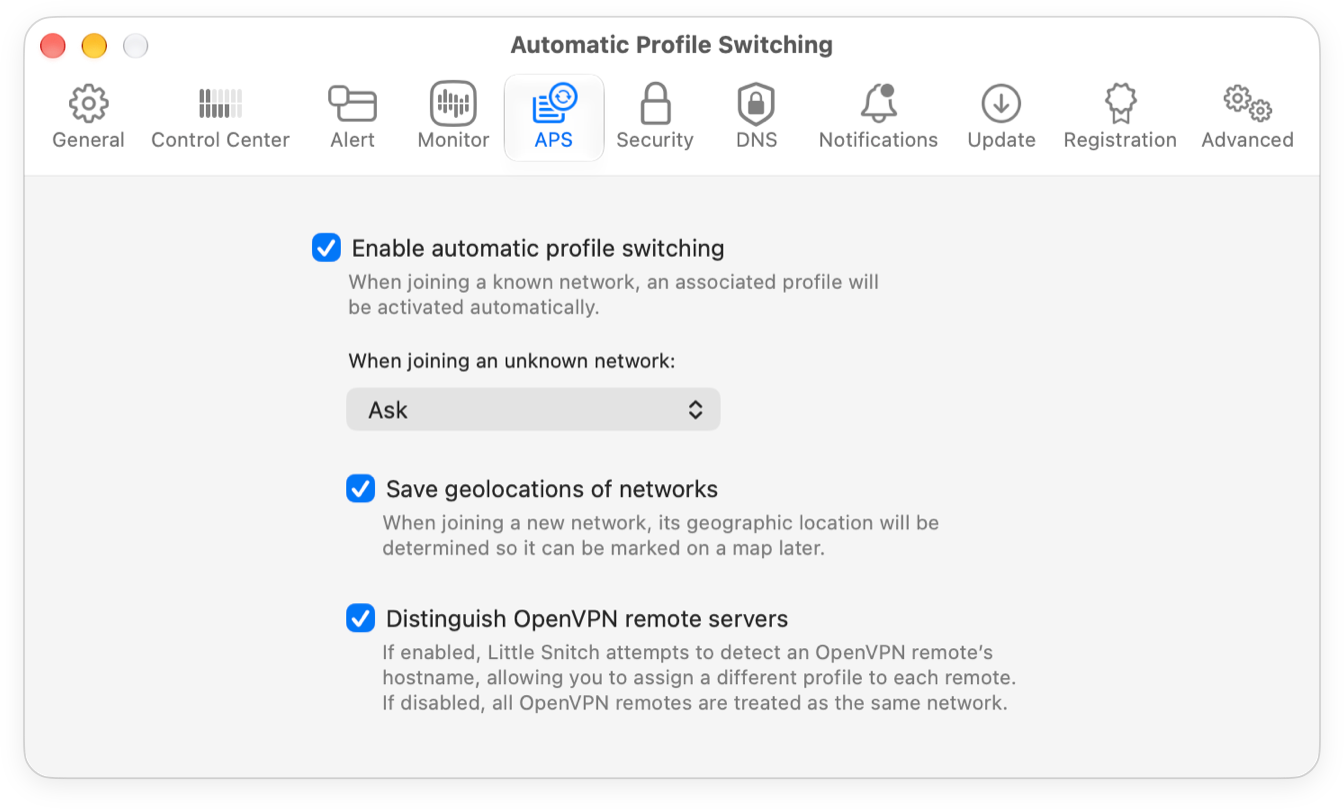
With APS on, Little Snitch tries to identify each network that you join uniquely, and remembers it. If you also turn on Save geolocations of networks, it remembers where you joined each network. We recommend this setting, because network names are often cryptic: after months or years, you probably won’t remember where you joined a network, or whether you still need its assignment.
When you join a network that has no profile yet, Little Snitch asks you what to do, unless you chose a different action for When joining an unknown network in Settings > APS.
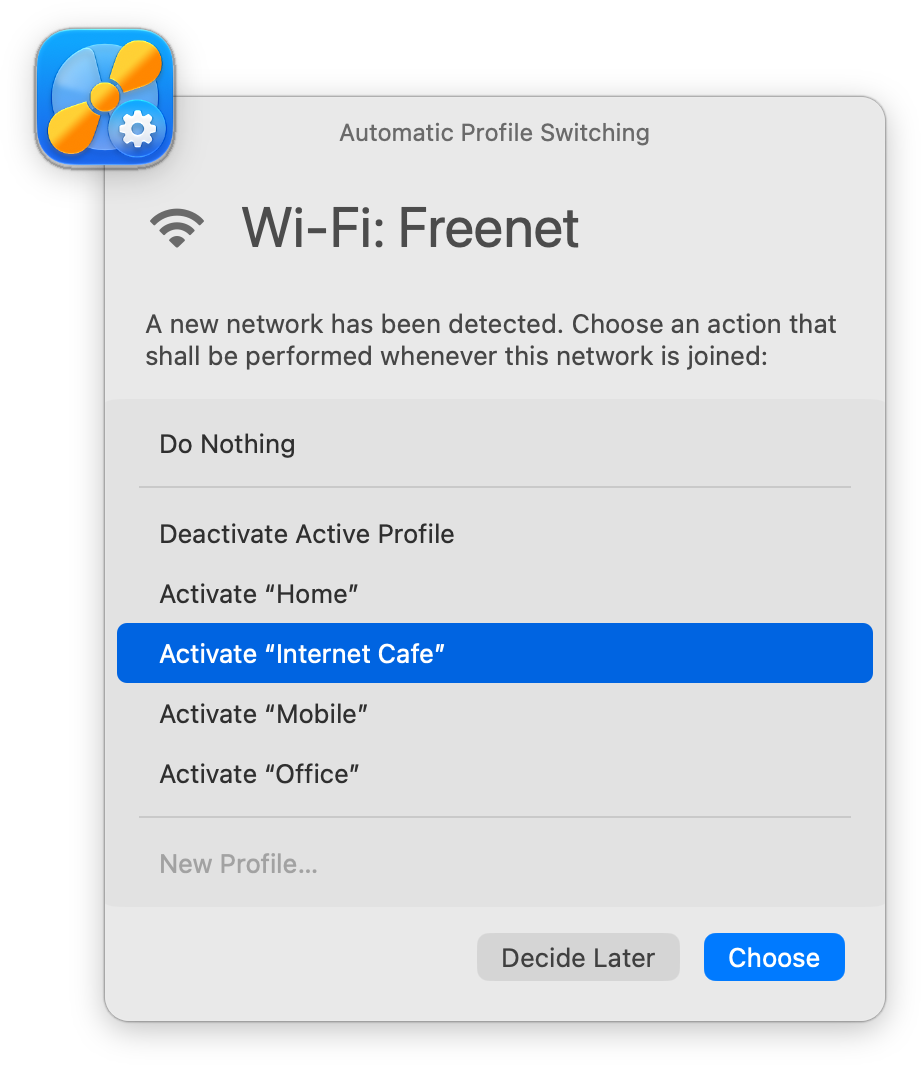
Select an action, then click Choose:
- Do Nothing: Little Snitch doesn’t assign the network to a profile, and it doesn’t ask again for this network.
- Deactivate Active Profile: Each time you join the network, Little Snitch deactivates the active profile.
- Activate “…”: Little Snitch assigns the network to this profile, and activates the profile each time you join the network.
- New Profile…: Creates a new profile for this network.
If you click Decide Later, Little Snitch leaves the network unassigned and asks again the next time you join it.
Manage APS
Over time, Little Snitch learns many networks and their profiles. To check and change these assignments, use the Networks view.
© 2016-2026 by Objective Development Software GmbH