Writing Your Own Rules
Blocklists work at the domain- host- or IP-level, but rules let you go further. A rule can target a specific process, match particular ports or protocols, and be as broad or as narrow as you need.
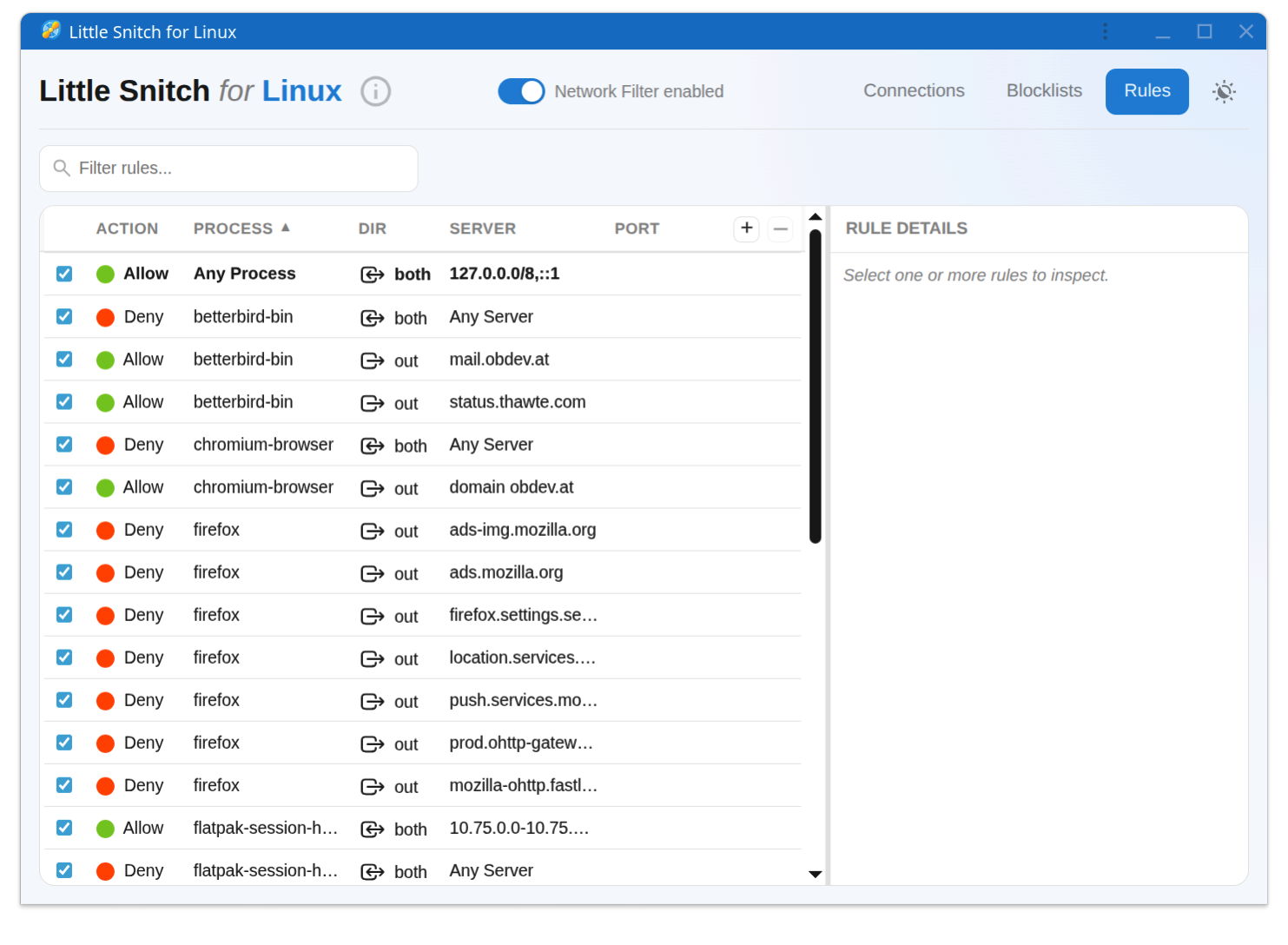
What a rule can target
A rule combines conditions such as:
- The executable making the connection, or a parent via process combination (see Watching Your Connections for what that means).
- The remote endpoint: a host name, a whole domain, an IP address, or a network range.
- The port and protocol.
- The direction of the connection, incoming or outgoing.
Each rule either allows or denies the matching connections. What happens when no rule matches at all is determined by the default action, which is "allow" unless you have changed it in the configuration (see Advanced Configuration).
The Rules view
The Rules view lists all rules. As the list grows, sorting and filtering keep it manageable. Click a rule to edit it, or enable and disable it without deleting it.
Analyzing which rules apply
With more than a handful of rules it is not always obvious why a particular connection is allowed or blocked. The place to answer that question is not the Rules view, but the Connections view:
- In the connections list, select the application you want to analyze. You can also drill deeper and select a domain, a host, or an individual connection. The analysis always applies to exactly the properties you have selected.
- Look at the inspector on the right. It shows two groups: Matching Rules and Related Rules.
Matching Rules
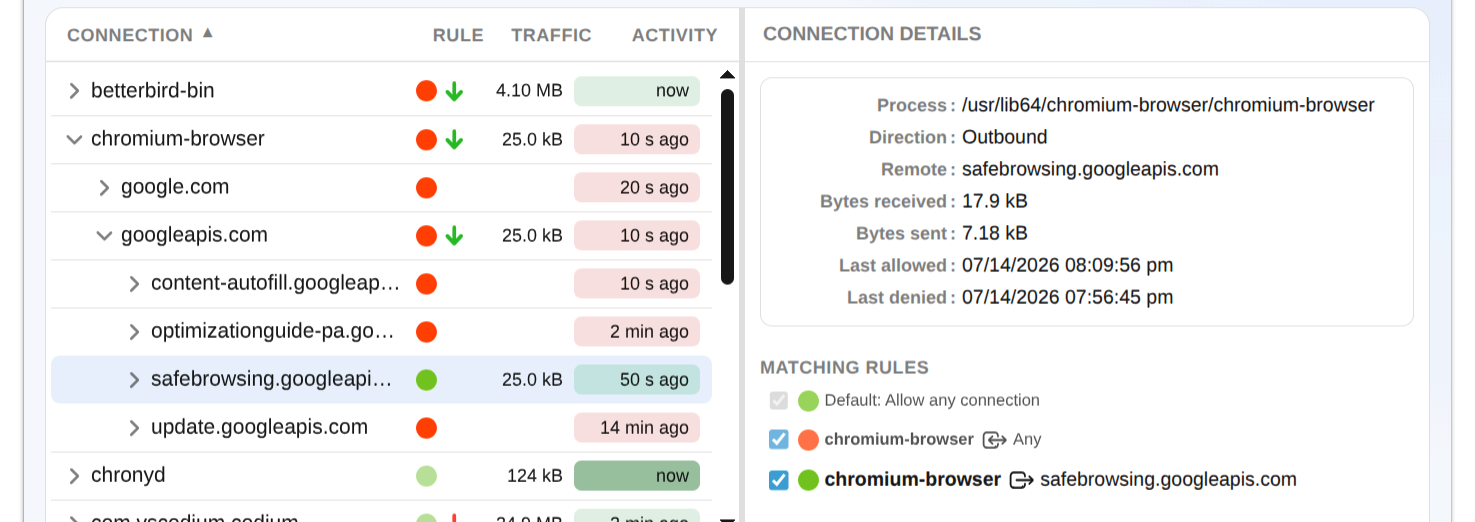
Matching Rules are rules that apply to the entire selection. If you selected an application, these are rules matching everything the application does. If you selected a domain, these are rules matching the whole domain, not just one host in it.
The rules are listed in order of increasing precedence. Only the last rule in the list is effective, it overrides all rules listed above it. If you disable the last rule, the next one above it becomes effective, and so on. The first entry in this list is always the default action.
Related Rules
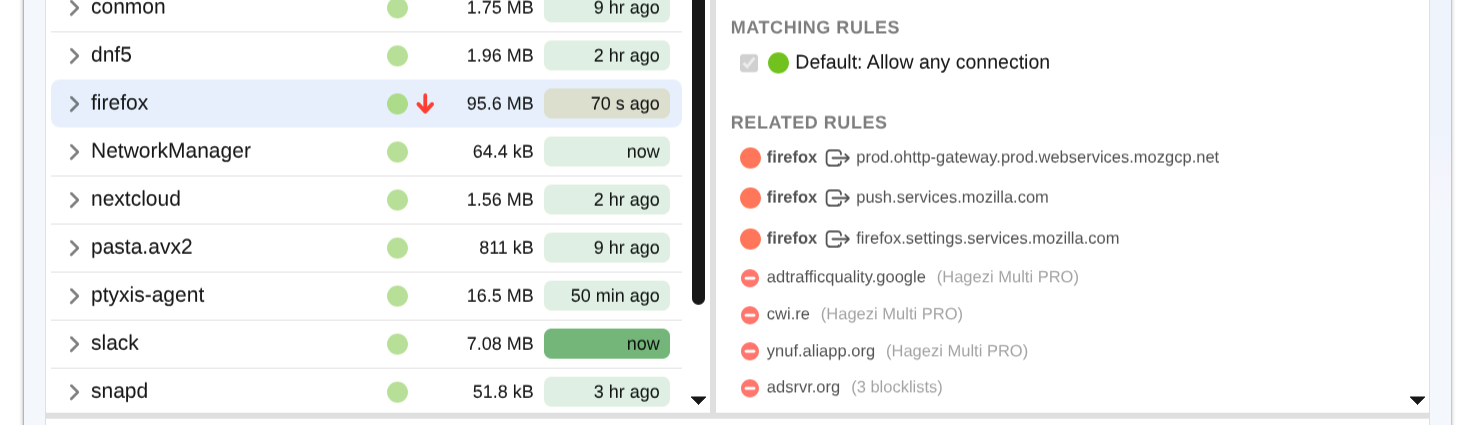
Related Rules match some, but not all, connections of your selection. For an application, these are rules matching specific connections the application has made recently. For a domain, these are rules matching recent connections to hosts within the domain.
Only rules matching connections recently seen are shown. "Recently" is defined by the time filter. Change the time range to widen or narrow the window.
Working with the analysis
- Rules can be enabled and disabled directly in the inspector, which makes it easy to experiment: disable the highest precedence rule and watch which rule takes over.
- Click any rule to jump to it in the Rules view, for example to edit it.
© 2016-2026 by Objective Development Software GmbH