 Little Snitch 4 Hilfe
 Little Snitch 5 Help
 Little Snitch 6 Help
Dieser Abschnitt ist leider noch nicht auf Deutsch verfügbar. Wir entschuldigen uns für die Unannehmlichkeiten.
Control Center settings
The Control Center pane decides what Little Snitch shows in the menu bar, and how the Control Center opens and looks.
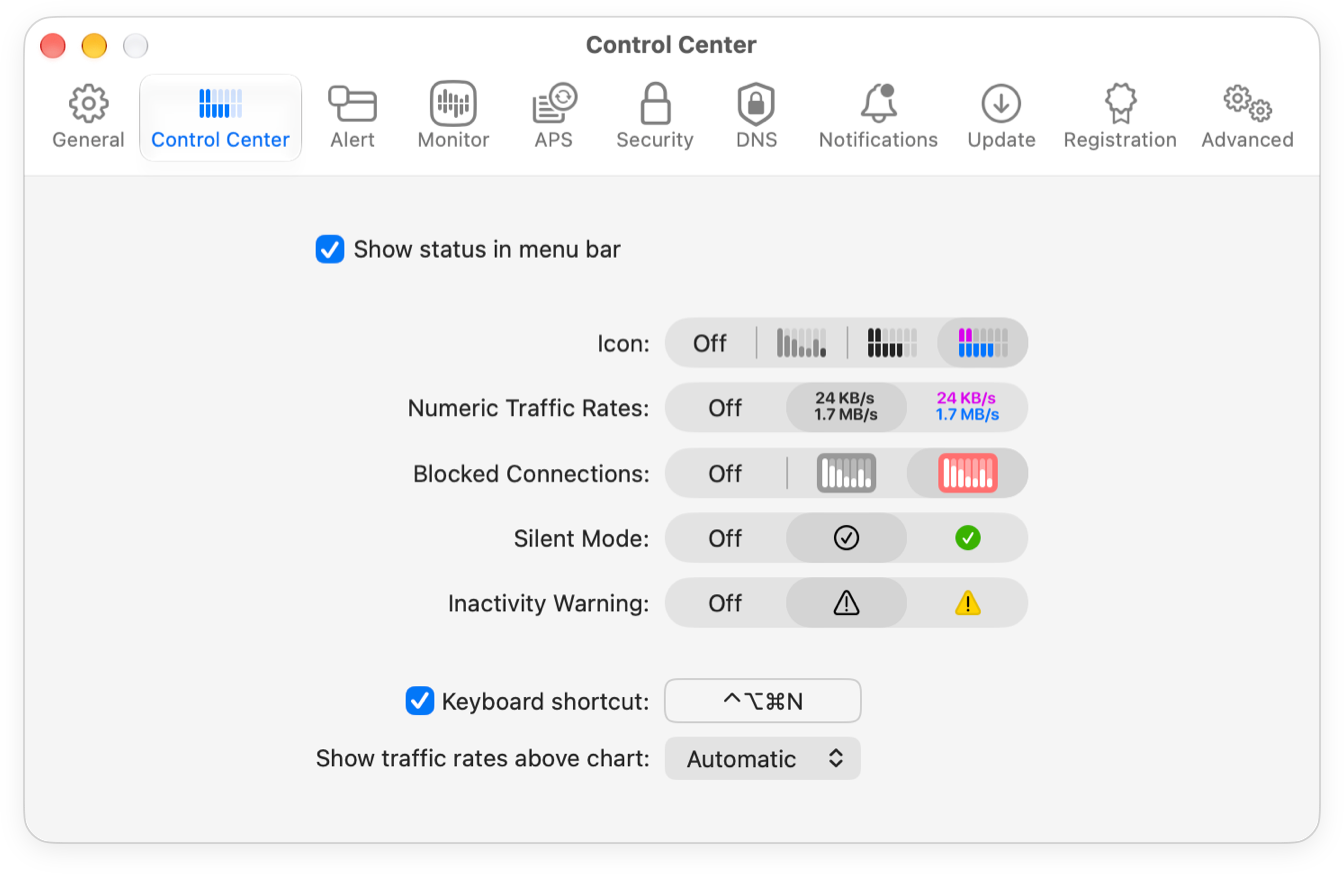
- Show status in menu bar: Whether Little Snitch shows its icon in the menu bar. Click this icon to open the Control Center, with quick access to the most common controls and a detailed view of the current network activity.
- Icon: How the icon shows network activity: as a chart of the traffic of the last five minutes, or as a meter of the current upload and download rates. The meter comes in black and in color. To show no traffic in the menu bar, choose Off.
- Numeric Traffic Rates: Whether the menu bar also shows the current upload and download rates as numbers, in black or in color.
- Blocked Connections: Whether the icon flashes when Little Snitch denies or blocks a connection.
- Silent Mode: Whether the menu bar shows a symbol while Silent Mode is on. This reminds you that Little Snitch decides about new connections on its own and doesn’t ask you.
- Inactivity Warning: Whether the menu bar shows a warning triangle while the network filter is off, so you don’t forget that Little Snitch isn’t filtering connections.
- Keyboard shortcut: A global keyboard shortcut that opens and closes the Control Center.
- Show traffic rates above chart: When the Control Center shows the current upload and download rates above its traffic chart:
- Automatic: Only if neither the menu bar icon nor a widget shows them already.
- Always: Always.
- Never: Never.
This setting doesn’t change the figures inside the Control Center’s traffic chart. Those show traffic volumes, see Focus mode.
Two things that affect the Control Center are set elsewhere:
- Whether it includes local network traffic is decided by Include local network traffic in the Network Monitor settings. The Control Center follows Network Monitor here.
- Which widgets it shows is up to you: click Edit Widgets in the Control Center to choose your widgets.
© 2016-2026 Objective Development Software GmbH