 Little Snitch 4 Hilfe
 Little Snitch 5 Help
 Little Snitch 6 Help
Dieser Abschnitt ist leider noch nicht auf Deutsch verfügbar. Wir entschuldigen uns für die Unannehmlichkeiten.
Inspector
The Inspector of the Rules window shows everything about the selected rule or blocklist. To show or hide it, click the Show / Hide Inspector button in the top right corner of the Rules window, or choose View > Show Inspector.
Rule inspector
When you select a rule, the Inspector shows the following:
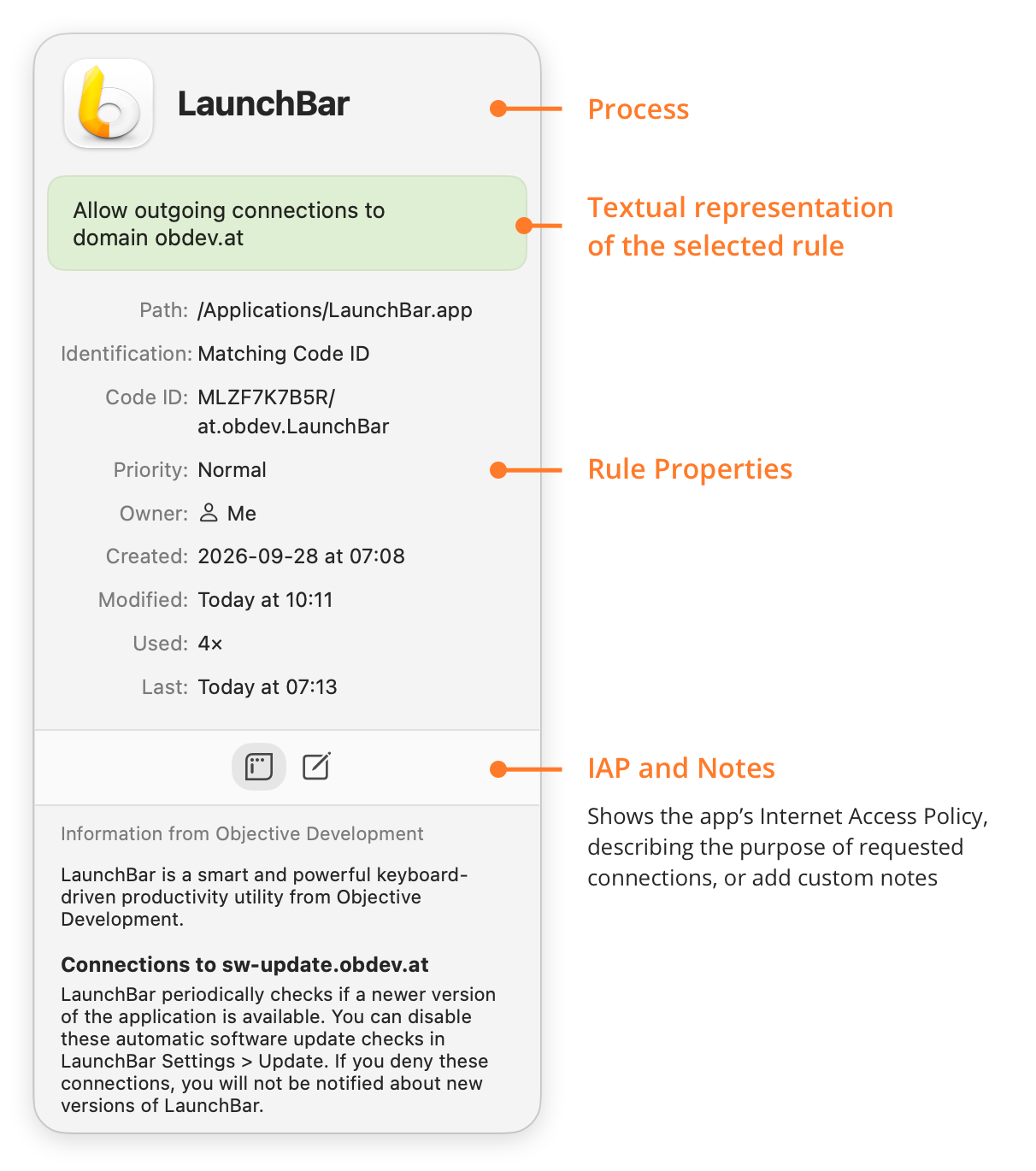
- Process: The icon and the name of the process.
- Textual representation of the selected rule: A short description of what the rule does, and to which remote endpoint.
- Rule Properties: The properties of the rule. Some appear only when they apply:
- Sound: For a sound rule, the sound that Little Snitch plays when the rule matches.
- Path: Where the process is in the file system.
- Identification: How Little Snitch identifies the process: by Code ID, by path with an identity check, or by path without an identity check.
- Check: If Little Snitch identifies the process by path and checks its identity, how it does the check.
- Code ID: The Code ID of the process, as rules use it.
- Redundancy: Whether another rule covers this rule, or this rule covers another one. Links take you directly to the most common actions.
- Lifetime: For a temporary rule, the time until which it’s active.
- Priority: Whether the rule has normal or high priority.
- Owner: Whether the rule matches processes of the current user, of the system, or of anyone.
- Created: When the rule was created.
- Modified: When the rule was last changed.
- Used: How many connections the rule has matched.
- Last: When the rule last matched a connection.
- IAP and Notes: Two buttons for text about the rule:
- The left button shows the Internet Access Policy (IAP) of the app, if it has one, so you can read what its connections are for.
- The right button shows your own notes for the rule. You can add and edit notes here.
Blocklist inspector
When you select a blocklist in the sidebar, the Inspector shows its properties:
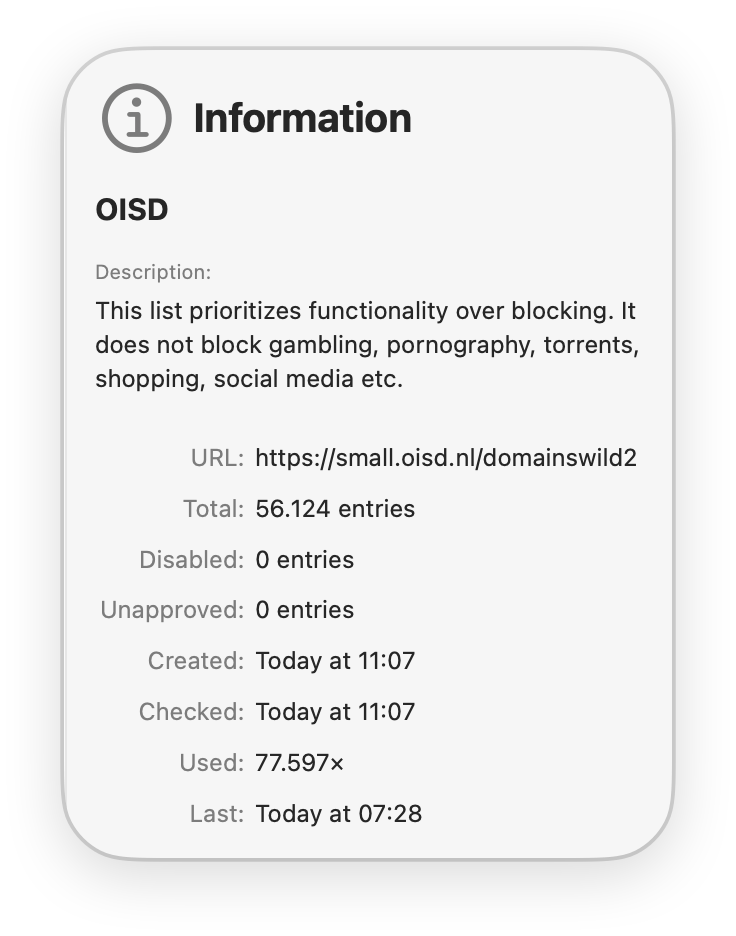
- Description: What the blocklist is about. The text comes from the blocklist, from Little Snitch, or from you.
- URL: Where Little Snitch downloads the blocklist from.
- Total: How many entries the blocklist has.
- Disabled: How many entries you disabled.
- Unapproved: How many entries you haven’t approved yet.
- Created: When you added the blocklist.
- Checked: When Little Snitch last updated the blocklist from its URL. To update it right away, move the pointer over this line, click the ellipsis button , and choose Update Now.
- Used: How many connections the blocklist has blocked.
- Last: When the blocklist last blocked a connection.
© 2016-2026 Objective Development Software GmbH